


Recover Deleted Messages All
3.796.00 Reviews
App Specs
- Version
- 9.9.8.2
- Updated On
- License
- Free
- Downloads
- 5,000,000+
- Developer
- The Novelty Apps
- Categories
- Communication
- Platform
- Android
Screenshots
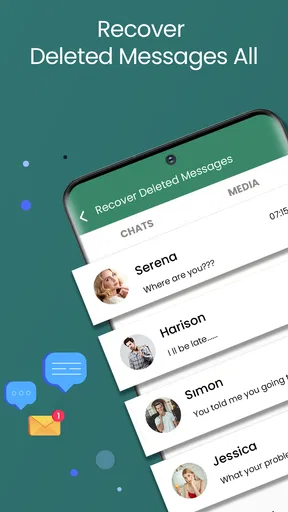

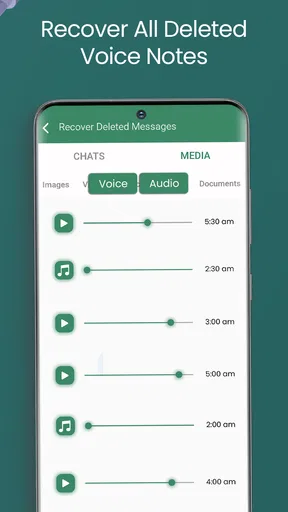
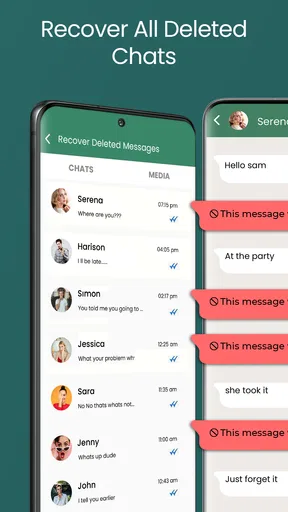



 Analysis by AppCompare
I approached Recover Deleted Messages All as a first-time user looking for a practical way to revisit messages that disappear from view. The idea is reassuring, but it helps to understand what the app can and cannot do before relying on it: it works with messages that reach your device as notifications, rather than acting like a universal restore button for every deleted chat.
What to expect from a notification-based recovery app
The basic appeal is simple: when a supported messaging app shows a notification, this app can keep a record that may still be useful if the sender later deletes the message or you dismiss the alert too quickly. That makes it a communication utility, not a replacement for the messaging apps you already use. Its usefulness depends on messages generating notifications that the app can record.
That distinction matters in everyday use. If a message arrives while notifications are disabled, if its contents are hidden from the notification preview, or if the message is never delivered to the device, there may be nothing for the app to preserve. I would treat it as a helpful safety net for visible alerts, not as a guaranteed way to retrieve every lost conversation.
There is also a difference between recovering a notification and restoring a conversation. A saved alert may help you recall what someone wrote, but it does not put the message back into the original chat or undo the sender’s deletion. If you need a complete conversation history, the messaging service’s own backup or export options are usually a better place to look.
A calmer first setup
After installing it, take a moment to review the requested access instead of tapping through automatically. Notification access is central to this kind of tool: without it, there is no alert history for the app to maintain. I would enable monitoring only for the messaging apps where a recovery record would genuinely help, then check that their notification previews show the information I expect to keep.
This is a useful point to think about privacy. A notification can contain names, private messages, verification codes, or sensitive details. Saving alerts may be convenient, but it also creates another place where those previews could be visible. I recommend keeping the monitored-app list narrow, using the phone’s screen lock, and avoiding notification recovery for conversations you would rather not store in another app.
If you are setting it up for a family member or someone who is not comfortable changing phone settings, explain why notification access is being requested before enabling it. A clear understanding of what is being recorded is more important than turning on every option. The same caution applies on a shared device: the person who can open the app may be able to see saved notification content.
Worth Reading Before You Choose

EA SPORTS FC Mobile 26 Is a Bigger Football Game, but It Takes Time

Flipboard Shows What News Apps Must Do Beyond the Feed

Switching to Android Auto Means Rethinking Your Driving Routine

Google Calendar Makes a Crowded Week Easier to Manage

Ludo King Makes the Most of the Minutes Between Plans

Baby Panda World Brings Quick Play to Modern Phones, but Its Game Library Feels Busy
The first useful test
Rather than waiting for an important message to disappear, I would test the workflow with an ordinary, non-sensitive message. Send a short message from a conversation you can safely use, confirm that its notification appears, and then check whether the app has recorded it. This small test helps separate setup problems from recovery expectations before you depend on the tool.
If the test does not work, check the basics in order: whether notification access is enabled, whether the messaging app is allowed to show message previews, and whether that app is selected for monitoring. Also consider whether the phone’s notification settings are suppressing alerts. Changing several settings at once makes it harder to tell which one mattered, so I would adjust one thing and test again.
A successful test is best understood as confirmation that a particular kind of notification can be logged on your device. It does not prove that every message type, group chat, media item, or messaging service will behave the same way. That is why I would keep the app’s role modest: useful for checking an alert you missed, but not the sole copy of anything important.
Getting Started with Ease
First things first, downloading and setting up Recover Deleted Messages All was a breeze. Available on both Android and iOS, it took me just a few minutes to have it up and running. The interface is super user-friendly, which is perfect for someone like me who prefers things to be straightforward and hassle-free!
Once installed, the app asks for some basic permissions. You might hesitate at first, but trust me, these are necessary for the app to work its magic. It needs access to your notifications to track messages and recover them. Rest assured, the app takes privacy seriously and doesn’t peek into your personal data.
How It Works
So, how does it actually work? The magic lies in its ability to monitor and store notifications. Whenever you receive a message, the app logs it. If you delete the message, intentionally or by accident, the app can retrieve it from its notification history. It's like having a backup you didn’t even know you needed!
What I found particularly handy is the app's ability to recover messages from various platforms. Whether it's a text message or a WhatsApp chat, Recover Deleted Messages All has got you covered. Talk about versatile!
Features That Stand Out
Let’s chat about some features that make this app stand out. One of my favorites is the auto-cleanup feature, which helps manage storage. The app periodically deletes older notifications, so you don’t have to worry about it taking up too much space on your device.
The app also supports multiple languages, which is a thoughtful touch. It's always nice when an app caters to users across different regions, don’t you think?
For those who are a bit tech-savvy, the app offers customization options to tweak the notification settings according to your preferences. You can choose which apps to monitor and even set up specific keywords to track. It's all about giving you control over your data.
Real-Life Scenarios
Now, let’s talk about how this app can really come in handy. Imagine you're having an important conversation on WhatsApp, and you accidentally hit delete. Panic sets in, right? Not with this app! It’s saved me from scrambling to ask the other person to resend messages more times than I can count.
Or think about those times when you’re juggling a million things, and you accidentally swipe away a notification before you even read it. With Recover Deleted Messages All, you can relax knowing that you can easily check what you’ve missed.
Where it fits among your options
For a first-time user, the simplest comparison is with the tools already built into your messaging app. A service’s own chat backup is generally better when you need to restore a conversation as a conversation, while notification logging is more convenient when you just want to look back at an alert. Those approaches solve different problems, so I would not replace a regular backup with this app.
It can also be more useful than asking someone to resend a message when all you need is a quick reminder of what was said. On the other hand, if the conversation is important enough to preserve in full, asking the sender to resend it or using the messaging app’s own recovery options is the safer choice. The notification record is a convenient reference, not an authoritative archive.
Media deserves particular care. The app’s purpose includes handling media and contact status content, but a notification-based record should not be confused with a full copy of every photo, voice note, or file shared in a chat. For anything you may need later, save it through the original messaging app or another method you already trust rather than assuming an alert record will preserve the original file.
Everyday use without relying on it too much
Picture a busy afternoon: a colleague sends a short instruction while you are carrying groceries, the notification appears, and you swipe it away without reading it. Later, you open the app to check the recorded alert instead of asking the colleague to repeat themselves. That is the kind of low-stakes, genuinely useful moment where I can see the app earning a place on a phone.
A different case is a group chat where several people send messages quickly. A saved notification can help you identify a deleted line or catch up on an alert you dismissed, but notification previews may not show the full context. I would open the original chat before acting on a fragment, especially when a reply could be misunderstood without the messages around it.
For voice notes, images, and other rich content, I would set expectations carefully. A notification may tell you that something arrived without preserving a playable or usable copy of the attachment. If the content itself matters, open the conversation and save it while it is available. The app is most dependable as a reminder and text reference, not as a substitute for keeping original media.
Small habits that make it more useful
One practical habit is to review which apps are monitored after your first test, rather than leaving every possible source enabled. That reduces clutter and avoids collecting alerts you will never need to revisit. It also makes the history easier to scan when you are looking for one particular conversation.
Another is to treat keyword tracking as a focused aid, not a way to capture everything. A small set of terms tied to information you commonly lose can make alerts easier to notice, while broad or vague terms may produce noise. If the feature does not improve how quickly you find something, simplify it; customization is only helpful when it reduces effort.
Auto-cleanup involves a real trade-off. Clearing older notifications can keep the record manageable, but it also means a message you forgot about may no longer be available later. If an alert contains something important, move that information to a more durable place promptly. I would not rely on any automatically managed notification history as long-term storage.
Who is likely to appreciate it
I think this app suits people who regularly dismiss alerts by mistake, want a quick record of certain incoming messages, or need a little help remembering what appeared before a sender removed it. It is especially appealing if you prefer a straightforward utility over repeatedly asking contacts to resend short messages. The free entry point makes it easy to try, while optional in-app purchases are listed from around seven dollars to about fifty dollars per item, so I would check the purchase details before choosing anything paid.
It is less suitable for someone who wants guaranteed recovery, a complete message archive, or reliable copies of every attachment. It is also a poor fit if you do not want message previews recorded outside the original chat, or if you keep notifications hidden for privacy. In those cases, a messaging app’s own backup, manually saving important files, or simply asking the sender to resend a message may be a better match.
Developed by The Novelty Apps, it sits in the communication category and has an average rating of about 3.9 from around 6,400 ratings, with more than 5 million installs. It is free to install, rated for everyone, and its current version is 9.9.4, with Android 7.0 or later required. Those figures suggest many people have tried it, but they do not change the practical question: does recording notifications suit your privacy preferences and the way you use messaging apps?
Before you make it part of your routine
If you are wondering whether it can recover a message from before installation, I would not count on that. The useful workflow depends on the app having a notification to record, so start using it before the next message you hope to retain. Likewise, a notification that never displays the message content cannot provide a readable copy of text that was not shown there.
If you are deciding whether it is safe to keep, focus on the trade-off you can control: which notifications it may access and whether those notifications include private information. I would begin with one messaging app, try a harmless test, then expand only if the result is useful. That gives you a concrete sense of value without turning on broader monitoring by default.
For anyone comparing free and paid use, I would first see whether the basic workflow solves the problem you actually have. In-app purchases range from around $6.99 to $49.99 per item, so there is no reason to buy anything just to test whether notification recovery fits your habits. Read the purchase screen carefully and choose only if an offered option addresses a need you have confirmed.
Real-Life Scenarios
Now, let’s talk about how this app can really come in handy. Imagine you're having an important conversation on WhatsApp, and you accidentally hit delete. Panic sets in, right? Not with this app! It’s saved me from scrambling to ask the other person to resend messages more times than I can count.
Or think about those times when you’re juggling a million things, and you accidentally swipe away a notification before you even read it. With Recover Deleted Messages All, you can relax knowing that you can easily check what you’ve missed.
Conclusion
In conclusion, Recover Deleted Messages All is a handy little app that does exactly what it promises—and more. It's like having a digital safety net for your messages, ensuring you never lose important information again. Whether you’re prone to accidental deletions or just want some peace of mind, this app is definitely worth checking out. Download it, give it a spin, and let it be your messaging guardian angel!
Pros
- Recovers messages from various apps
- Easy-to-use interface for all users
- Supports multiple file formats
- No need for root access
- Quick recovery process
Cons
- Limited free version features
- Requires internet for full functionality
- Occasional ads may disrupt usage
- May not recover all message types
- Compatibility issues on older devices
FAQs for Recover Deleted Messages All
What does the Recover Deleted Messages All app do?
The Recover Deleted Messages All app is designed to help users retrieve deleted text messages and chat conversations from various messaging platforms. It scans your device for any recoverable data and allows you to restore lost messages with ease. This can be particularly useful if you've accidentally deleted important conversations.
Is Recover Deleted Messages All app safe to use?
Yes, the Recover Deleted Messages All app is generally safe to use. It does not require root access and operates within the permissions you grant it, ensuring your data privacy. However, it’s always recommended to download the app from official app stores to avoid malicious software.
Does the app support all messaging platforms?
The app primarily supports popular messaging platforms, including WhatsApp, Messenger, and SMS. However, compatibility can vary depending on the device and the version of the app you are using. It's best to check the app's description for a detailed list of supported platforms before installation.
Can I recover messages without a backup?
Yes, the Recover Deleted Messages All app can often retrieve messages even if you haven't previously backed them up. It works by scanning your device for traces of deleted data and can recover messages depending on how your device stores information and how recently they were deleted.
Are there any limitations to message recovery?
While the app is powerful, it does have limitations. For instance, if messages were deleted long ago or if the device’s storage has been heavily overwritten, recovery might be difficult. Additionally, the app may not recover media files like images or videos unless specified in its features.


